Indoor training. Real competition.
Stay sharp with 4v4.
4v4 is an indoor game that gives pitchers, catchers, and hitters a way to stay sharp at their hitting or pitching training facility. Turn focused reps into a competition, with BaseKnock keeping the counts, points, and game record.
How the game works
Four players per team
Set a four-person batting order for each team. Assign a pitcher; a catcher is optional in the app. The batting order stays fixed after the game starts.
Points, without baserunners
Hitters score from walks and designated contact results. Pitchers can earn points for strikeouts and caught line drives. Teams take turns hitting and pitching, without running bases.
A marked indoor space
Use the facility’s cage or training area, with contact lines 1, 2, and 3 and a back net or back-of-cage scoring area. Agree on those locations with the facility before starting.
The scoring below follows BaseKnock’s standard 4v4 format. Contact-line locations depend on the training space.
Innings and time
- A half-inning ends at three outs or eight completed plate appearances, whichever comes first.
- Play up to six innings. Both teams get their turns in each inning.
- The clock starts with the first recorded pitch. After 50 minutes, do not start a new inning; finish the current inning, including its bottom half.
- Finishing that inning can take the game beyond 60 minutes. The 50-minute mark is not an immediate mid-inning stop.
How scoring works
Award points to the result’s hitter or pitcher, and BaseKnock includes them in the appropriate team total. A two-point contact result adds two points; it does not put a runner on second base.
Swipe sideways to see the full scoring table.
| Result | Points | Outs | What to record |
|---|---|---|---|
| Walk | +1 hitter | 0 | Four balls complete the plate appearance. |
| Side wall: zone 1 | +1 hitter | 0 | Left or right wall between contact lines 1 and 2. |
| Side wall: zone 2 | +2 hitter | 0 | Left or right wall between contact lines 2 and 3. |
| Ground ball to the back net | +2 hitter | 0 | The ground ball reaches the back net. |
| Side wall: zone 3 | +3 hitter | 0 | Left or right wall past contact line 3. |
| Line drive to the back of the cage | +5 hitter | 0 | The line drive reaches the back of the cage in the air. |
| Ground ball short of the back net | 0 hitter | 1 | Contact does not reach the back net. |
| Fly ball before contact line 1 | 0 hitter | 1 | A fair air ball lands before the first contact line. |
| Ball caught by the pitcher | 0 hitter | 1 | A ball in the air is caught by the pitcher. |
| Strikeout | +2 pitcher; 0 hitter | 1 | An out and pitching points are recorded for the defense. |
| Dropped third strike | 0 pitcher | 1 | The out still counts; no pitching points are awarded. |
| Line drive caught by the pitcher | +5 pitcher; 0 hitter | 1 | A caught line drive earns the pitching award and one out. |
Count each completed plate appearance as at most one out. A caught line drive awards the pitcher’s five points and records one out; it does not create two outs.
A quick example
Your hitter reaches the back net with a ground ball: your team gains 2 points. When your team pitches, a strikeout adds 2 more points to your team and records an out. A line drive caught by your pitcher is worth 5 pitching points and one out.
Keep the pitch count moving
Record balls, called strikes, swinging strikes, fouls, and balls in play as they happen. Four balls produce a walk worth one batting point. An ordinary foul with two strikes keeps the count at two strikes; use the app’s caught foul-tip option when it is strike three.
Catcher throw-down bonus
For eligible completed appearances, BaseKnock offers a separate +2 team-point catcher throw-down award. The app makes it available after a walk, hit-by-pitch, or a scoring ball in play without an out, before the next pitch and while the half-inning is still open. Record it once for that appearance when the scorer awards the throw-down. It is a team bonus, not an extra pitch or a batting/pitching statistic.
4v4 inside BaseKnock
These iPhone screenshots use sample games and show the controls specific to this indoor format.
Two ways to score 4v4
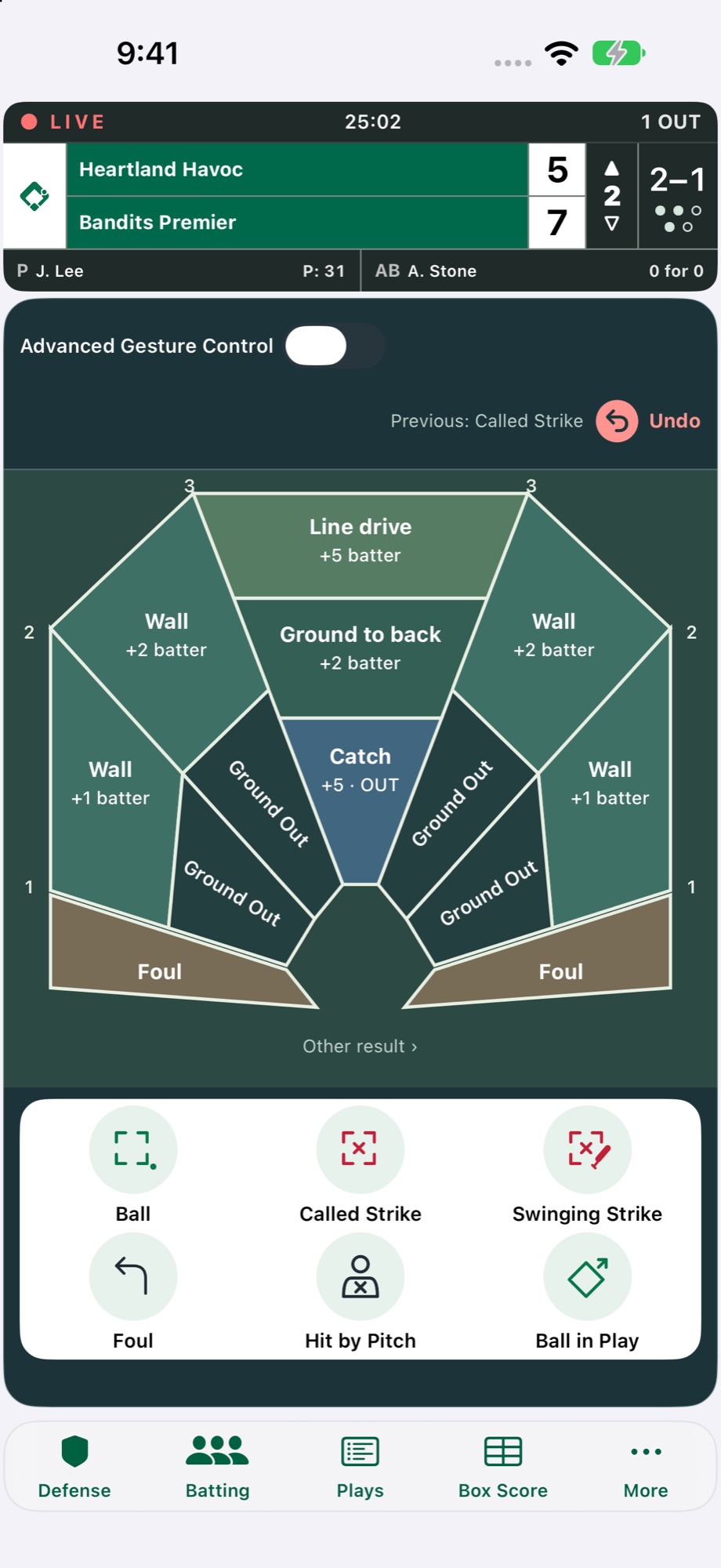
Track pitches and points
The special 4v4 cage layout combines contact zones and point awards with pitch controls, team points, the count, inning, and outs.
View full size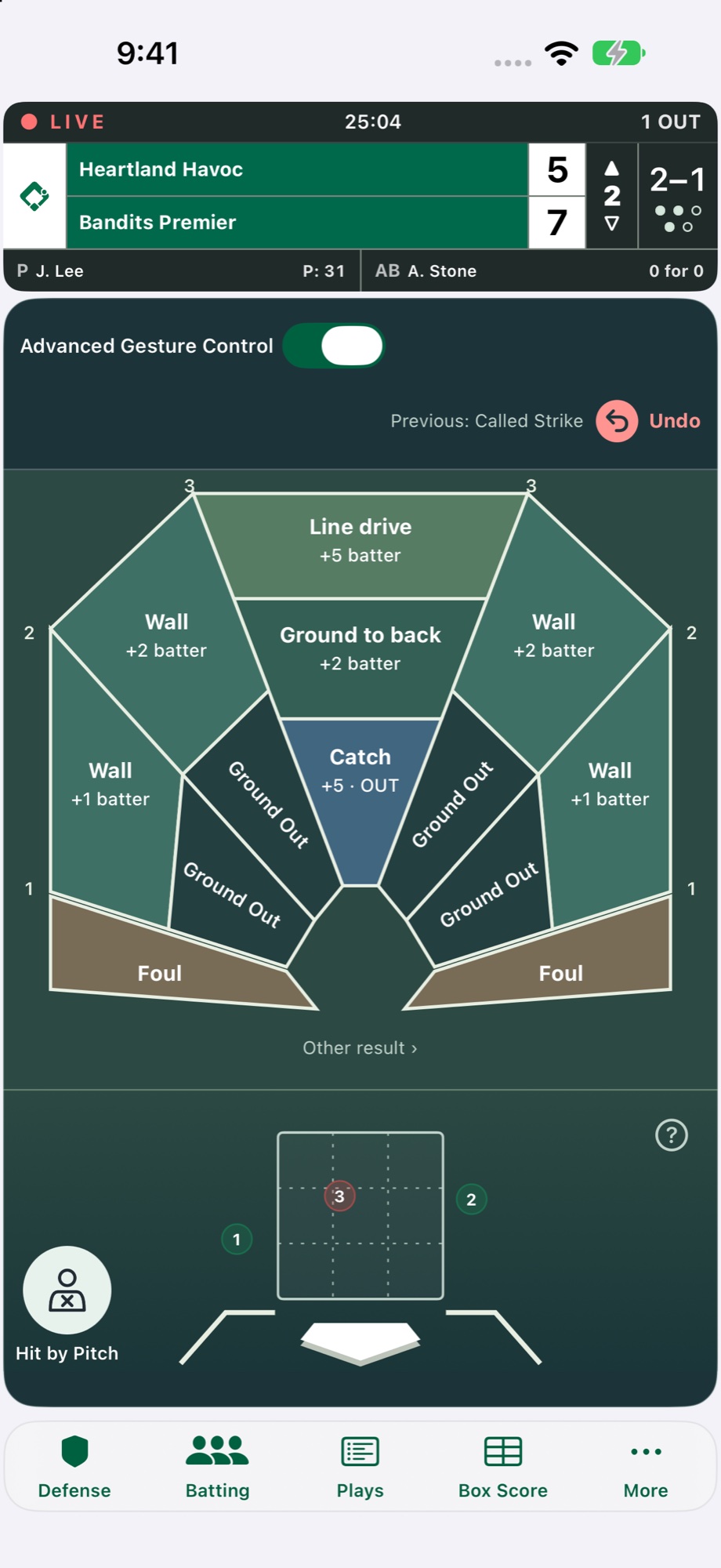
Score with strike-zone gestures
Use gesture controls to mark pitch locations in the strike zone while keeping the 4v4 cage results and point values in view.
View full sizeSet up and review your game
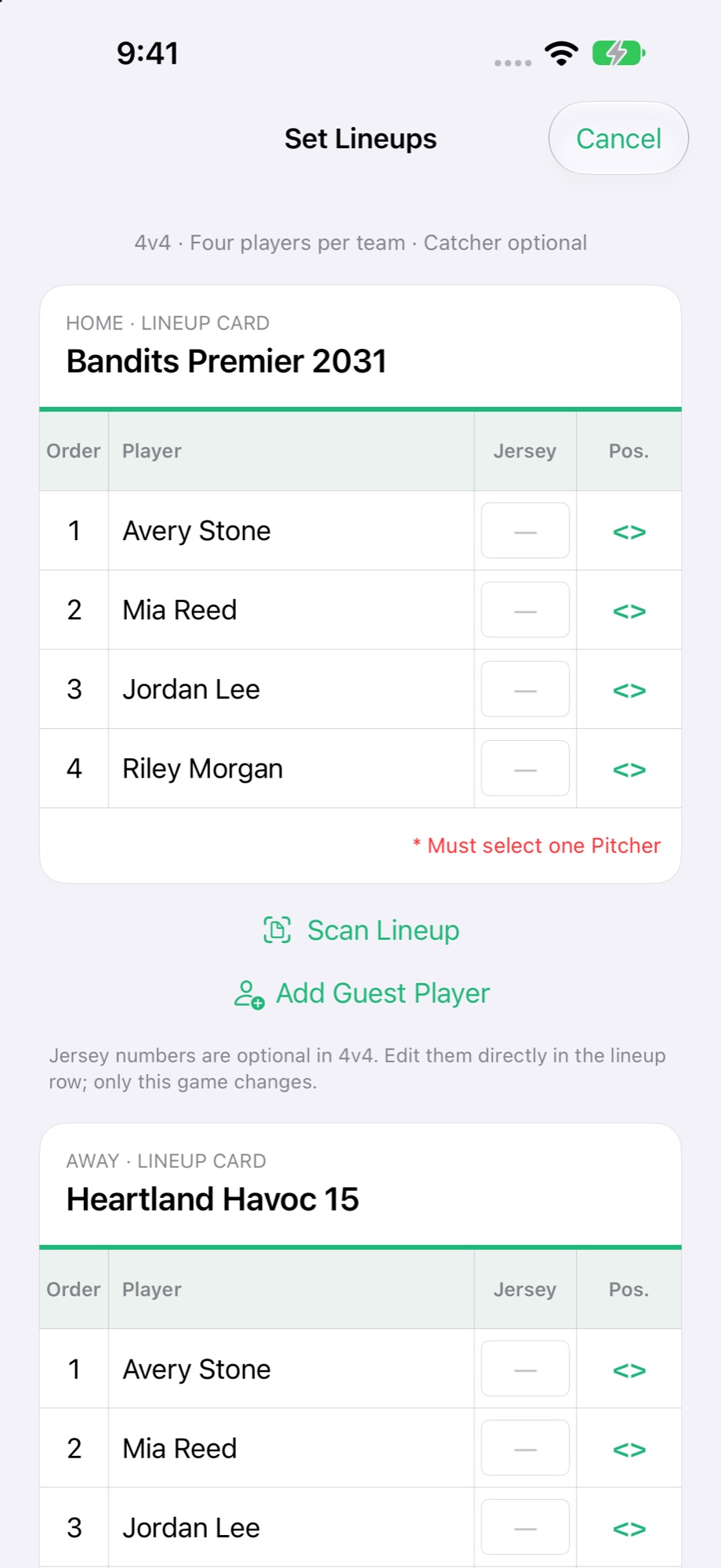
Set the four-person lineups
Choose four batters for each side and prepare pitcher/catcher assignments before the game starts.
View full size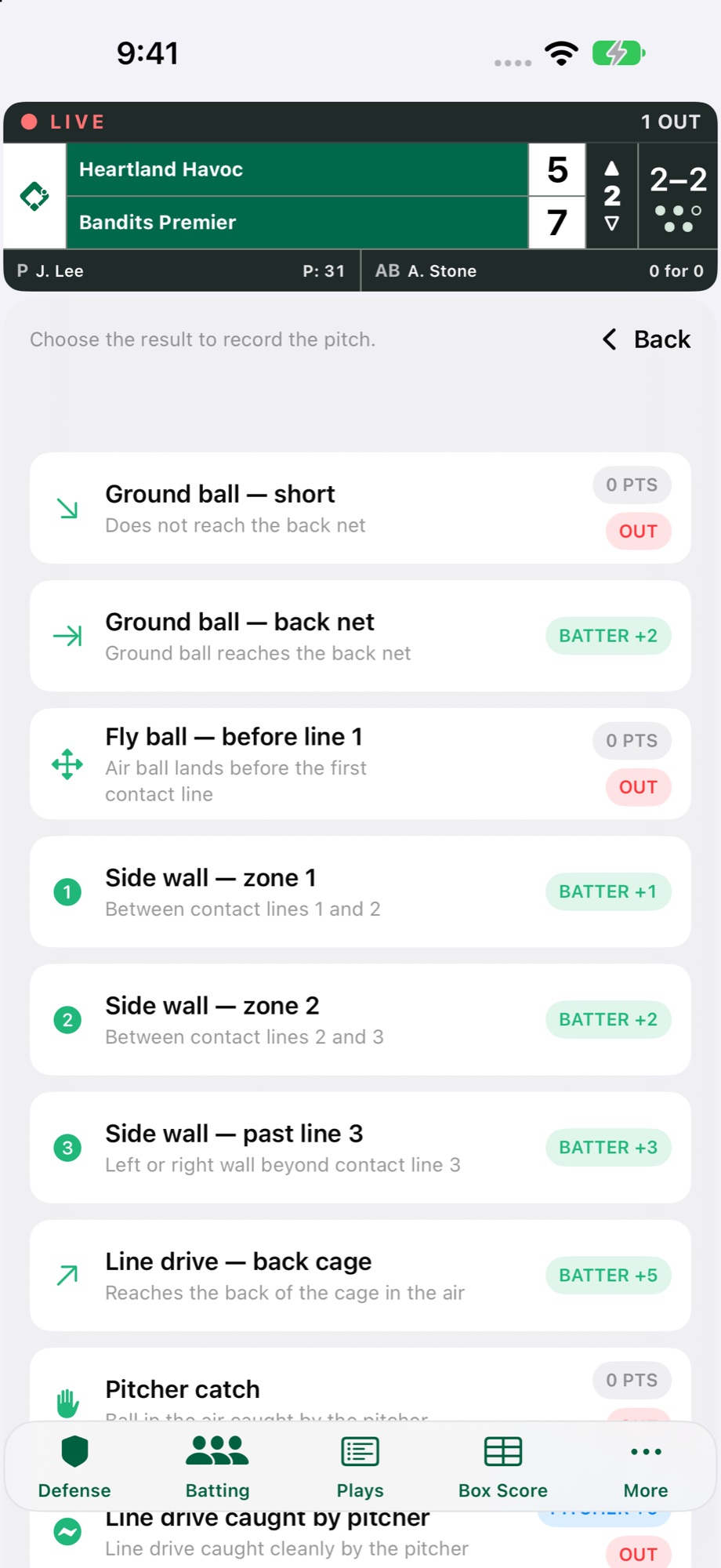
Record the cage result
Choose the marked contact zone or catch. The result buttons show the batting or pitching points and whether an out is recorded.
View full size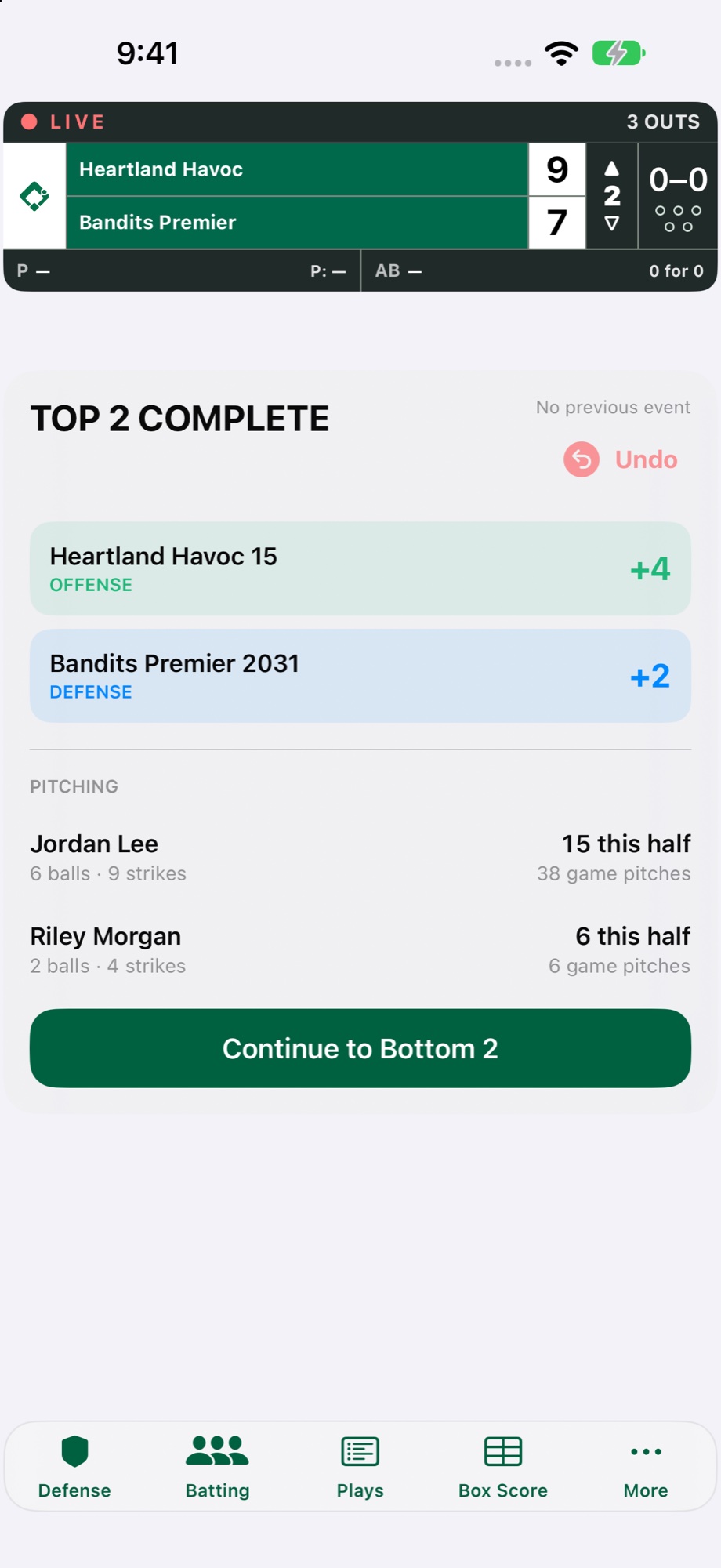
Review both sides of the half
The half-inning summary separates offensive and defensive points and shows pitch totals before moving on.
View full size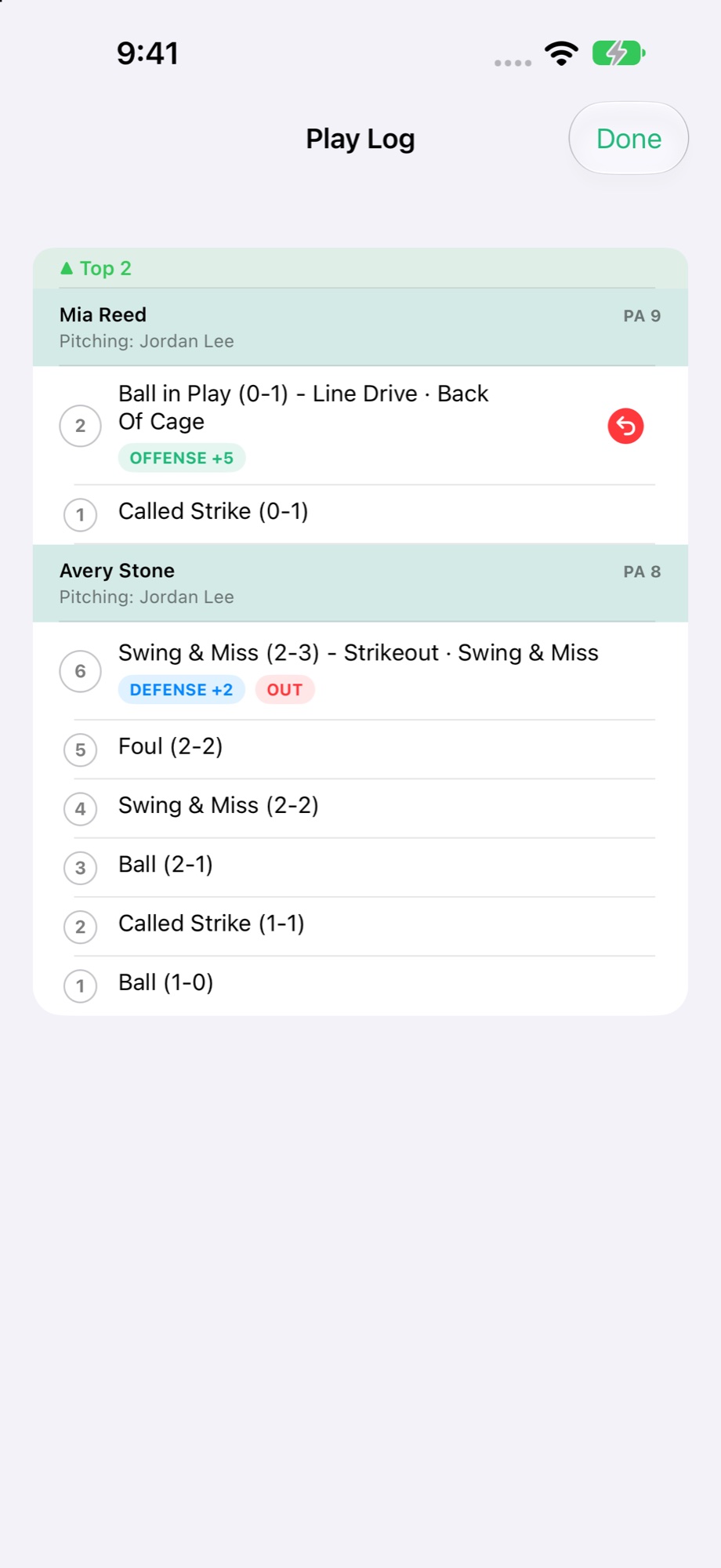
Review the Play Log and undo
Look back through each batter’s pitches, counts, points, and recorded outs. An authorized scorer can undo the latest eligible action to correct the game record.
View full size